What is DMARC?
Domain-based Message Authentication, Reporting, and Conformance
Overview
DMARC (Domain-based Message Authentication, Reporting and Conformance) is an email authentication standard that determines whether an email is authentic or not. It relies on SPF and DKIM protocols to decide the authentication status. While providing visibility of the sources sending emails from your domain, it ensures better deliverability and, most importantly, guarantees security against spoofing, phishing and impersonation attacks.
Before we dive deep into the core concepts and working of DMARC, let us first understand what an open protocol is. Open protocols do not come under the ownership of any particular organization and are not limited to a distinct company’s products.
History
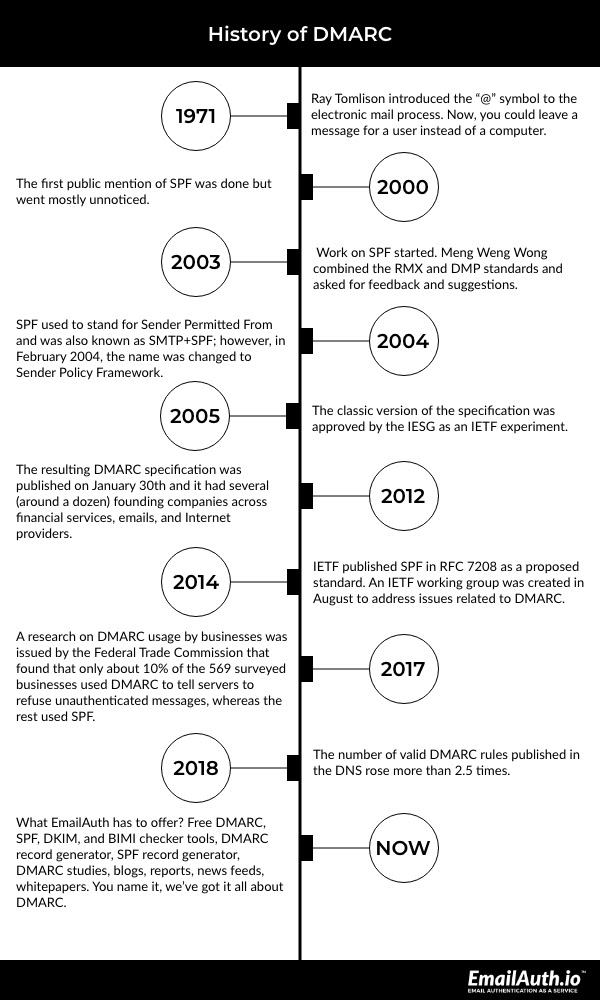
Decades ago, sending electronic mails to someone was like posting sticky notes on their PC—it wasn’t secure. In 1971, Ray Tomlinson, a pioneering American computer programmer, introduced the “@” symbol to the electronic mail process, allowing users to leave messages for their clients rather than their PC. It was quite similar to the traditional postal system of wrapping a letter securely in an envelope and addressing it directly to the receiver.
As emails developed over time, so did vindictive messaging, cyber-attacks, digital assaults, spam and other cybercrimes. Clients needed to be certain that the messages they were receiving were from authentic senders. The fraudsters could pretend to be authentic clients and access confidential information from email recipients.
Even in modern times, such attacks continue to be the biggest danger to IT security, costing organizations over millions of dollars a year. Organizations not only take a financial hit due to such attacks but also lose their clients’ trust. Therefore, to combat these security threats and authenticate email senders, DMARC was published on January 30th, 2012. It established a standard where both the parties (sender and receiver) agree to configure their email systems with DKIM (DomainKeys Identified Mail) and SPF (Sender Policy Framework).
Essentially, DMARC has the following missions:
Develop plans to publish policies on handling authenticated emails
Enable receivers to provide authentication reports for the improvement of their authentication monitoring infrastructure
Develop a formal standard that can be followed by all organizations and clients
If fraudsters are detected, DMARC tells the receiver’s server to quarantine or reject the communication based on the policies set in place by the domain owners. Moreover, it sends information back to the sending server in an attempt to inform the email administrators about these suspicious activities. With the help of DMARC, an investigation is then conducted to restore the users’ confidence in their inbox and the organization.
How Does DMARC Work?
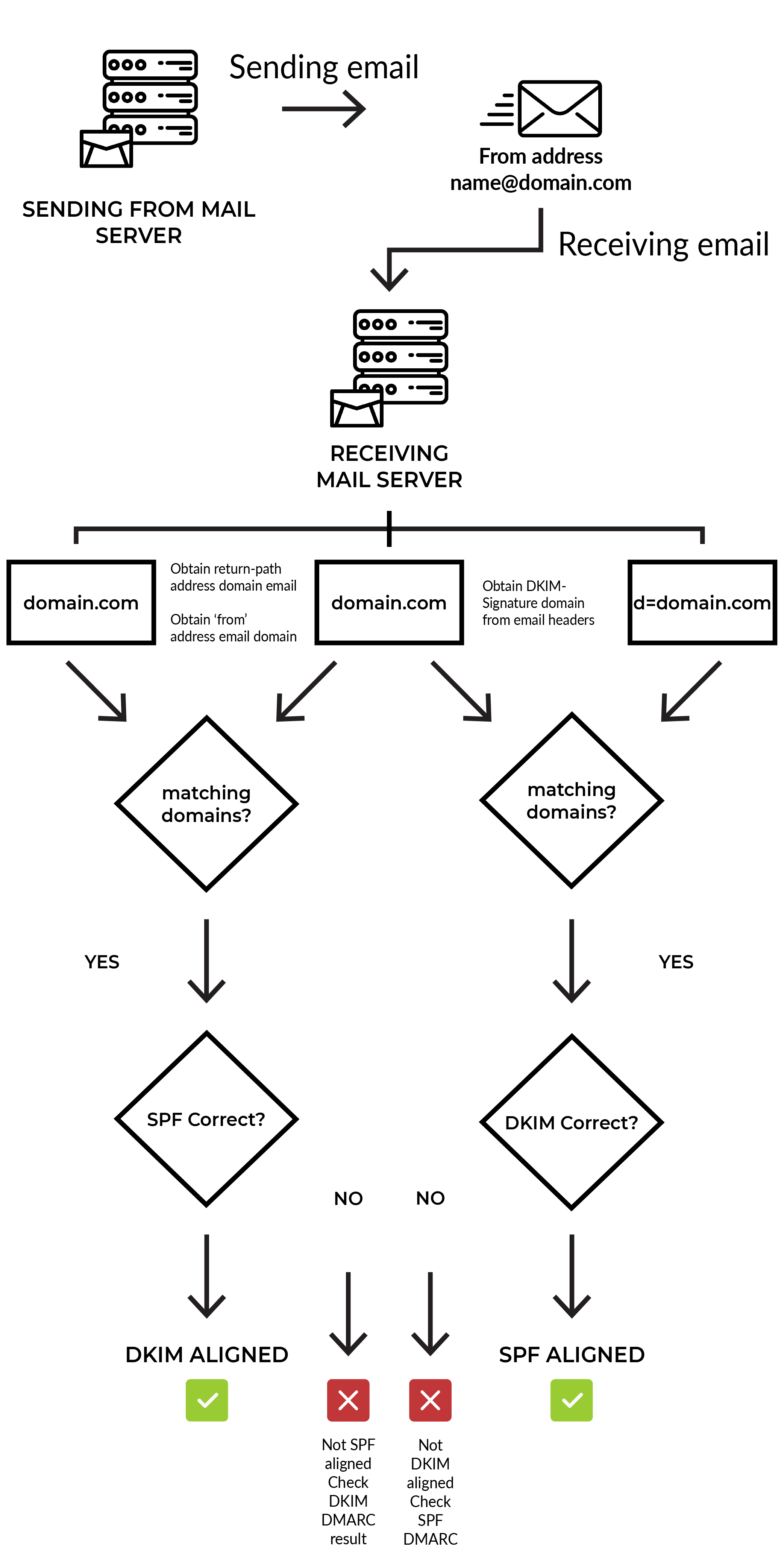
DMARC compiles the signals from SPF and DKIM, two existing email verifying technologies. SPF allows the domain owner to specify which addresses are authorized to send an email on their behalf. DKIM, on the other hand, uses an encrypted signature to verify if an email sender is exactly who they say they are. Both these technologies produce individual authentication identifiers that help verify and validate emails in various ways. If these technologies have been implemented, receiving servers can identify who an email is from but cannot take action as they do not know if the traffic is properly configured.
DMARC combines the results of SPF and DKIM to accurately identify if an email is from an authorized sender or fraudulent impersonator. If suspicious activity is identified, it actively blocks the attack by enforcing its rigid policies. Additionally, DMARC allows organizations to instruct receiving servers on how to deal with emails that use their domain by setting up their own DMARC policies.
Let us look at the working of DMARC in four simple steps:
The domain admin configures the email authentication policies and the actions that must be taken by the receiving mail servers when handling emails that fail the authentication. This DMARC policy then becomes part of the domain’s overall DNS records.
The mail server at the receiving end of an incoming email uses DNS to look up the DMARC policy for the domain included in the message’s “From” header. The inbound server then assesses the message for DKIM signature validation, the message’s source, and its domain alignment.
The server then applies the sending domain’s DMARC policy to determine whether to accept, reject, or flag the email.
After determining what action is to be taken based on the set DMARC policy, the receiving mail server then reports the result to the sending domain owner.
Benefits of DMARC
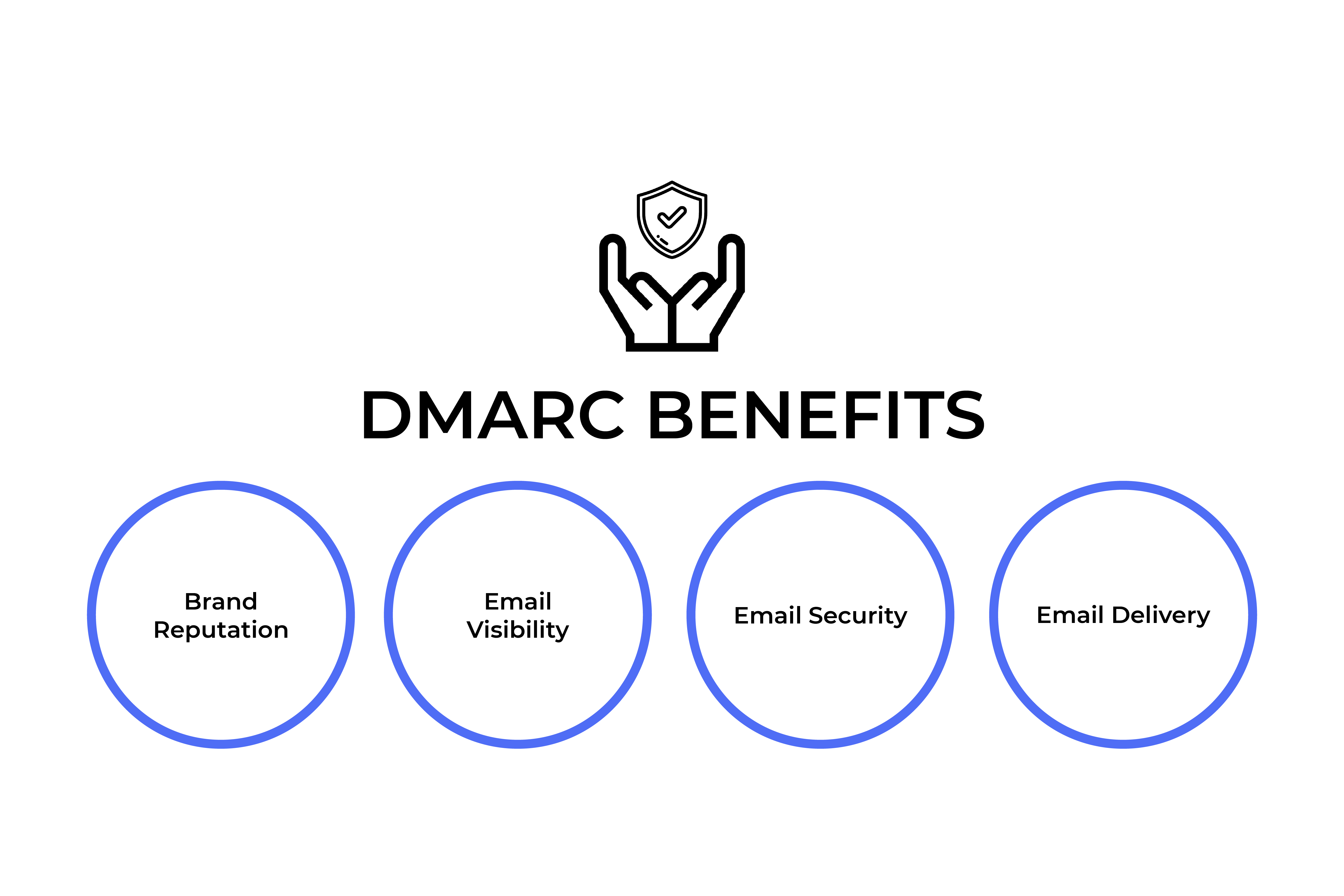
Implementing DMARC has the following benefits:
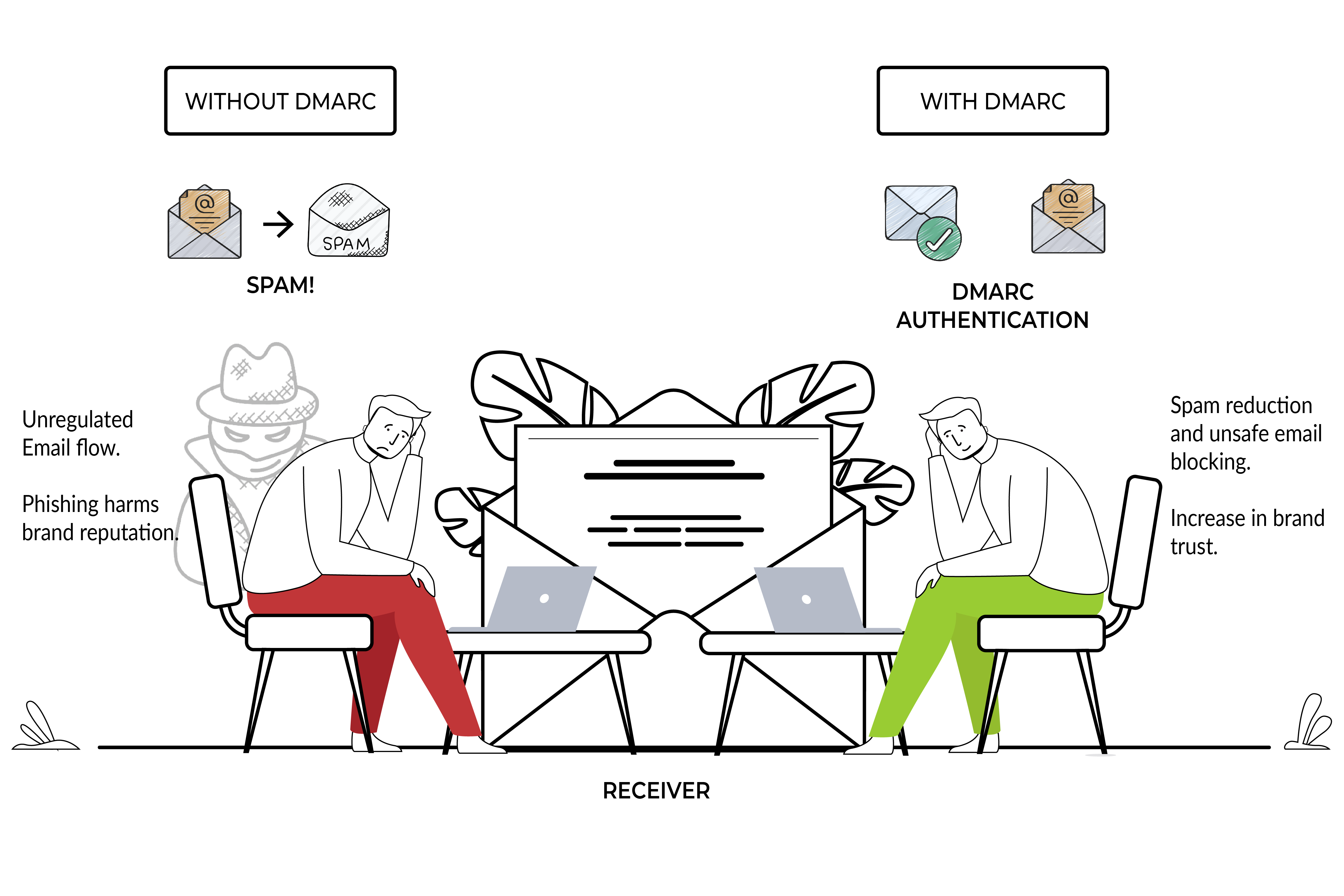
Brand Reputation: A DMARC record secures an organization’s image by forestalling the misuse of its domain by unauthenticated parties.
Email Visibility: DMARC reports bring better visibility to an organization’s email program by providing information about their domain usage and activity.
Email Security: DMARC helps to build a steady strategy for managing messages that fail the authentication. This creates a safer and more dependable email system.
Email Delivery: DMARC allows organizations to use the same modern plumbing that large companies use to deliver email.
DMARC Policies
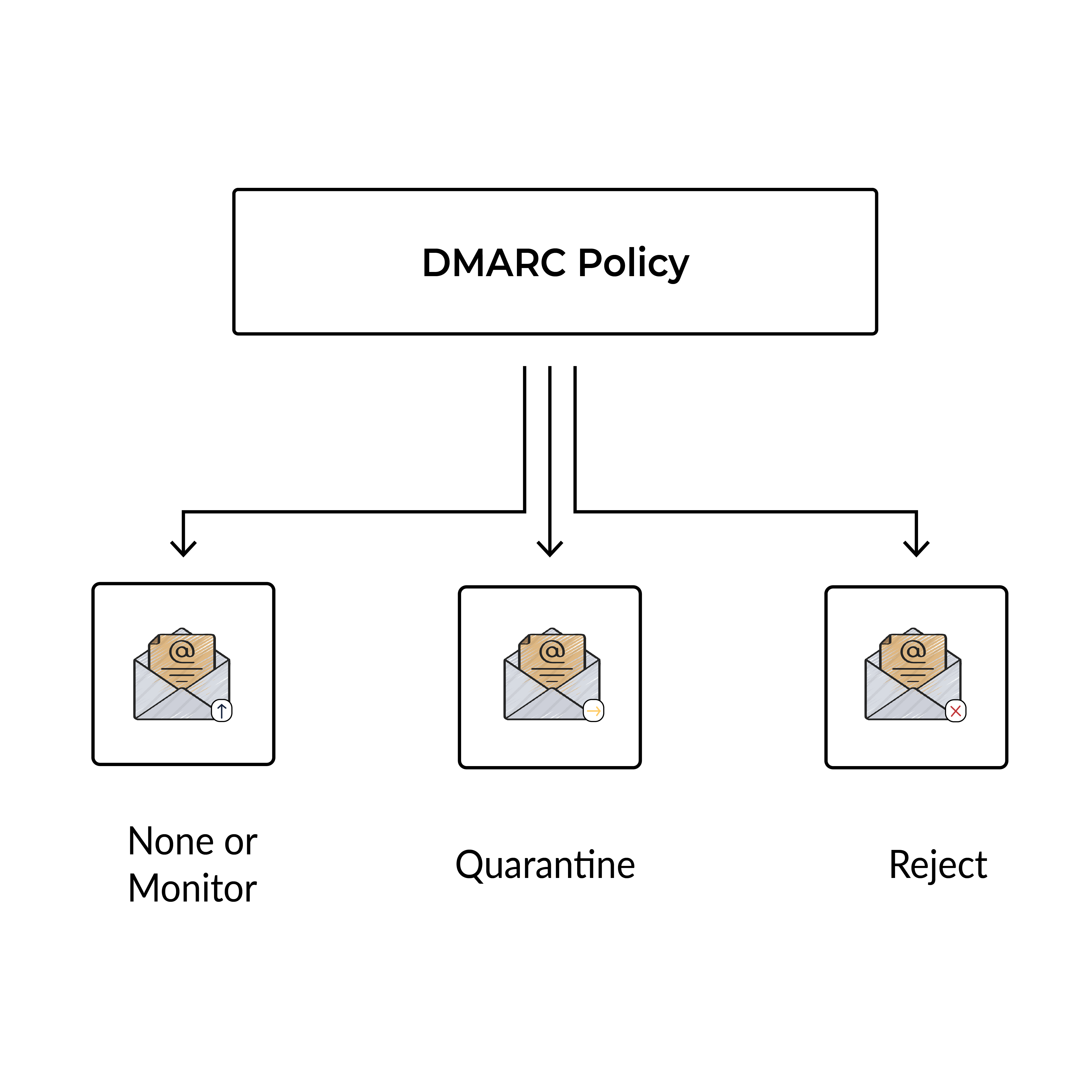
- None policy
It is the simplest DMARC policy to use. By configuring this policy, emails with failed authentication are delivered to the recipient’s inbox. In other words, an organization’s email traffic continues to flow as it always has. This policy provides users with reports on their domain usage so they can understand and familiarize themselves with the working of DMARC.
- Quarantine policy
On implementing this policy, emails that fail authentication get shipped to the spam/junk folder or garbage organizer. It is recommended as the second stage in DMARC’s implementation since it obstructs the use of your domain for malicious purposes and still permits you to have command over false alerts, i.e., authentic messages that have been obstructed because of a misconfiguration.
- Reject policy
Considered as the final stage in DMARC’s implementation, this policy is recommended only after you have experience with the first two policies. It is the most powerful DMARC policy as it downright rejects emails with authentication failures. In other words, failed messages are always blocked. From a cybersecurity perspective, it is the most efficient DMARC policy as it blocks cybercriminals from exploiting your business’s domain. However, the reject DMARC policy requires a higher level of maturity so that legitimate emails aren’t marked as false alerts.
Deploy DMARC in 5 easy steps
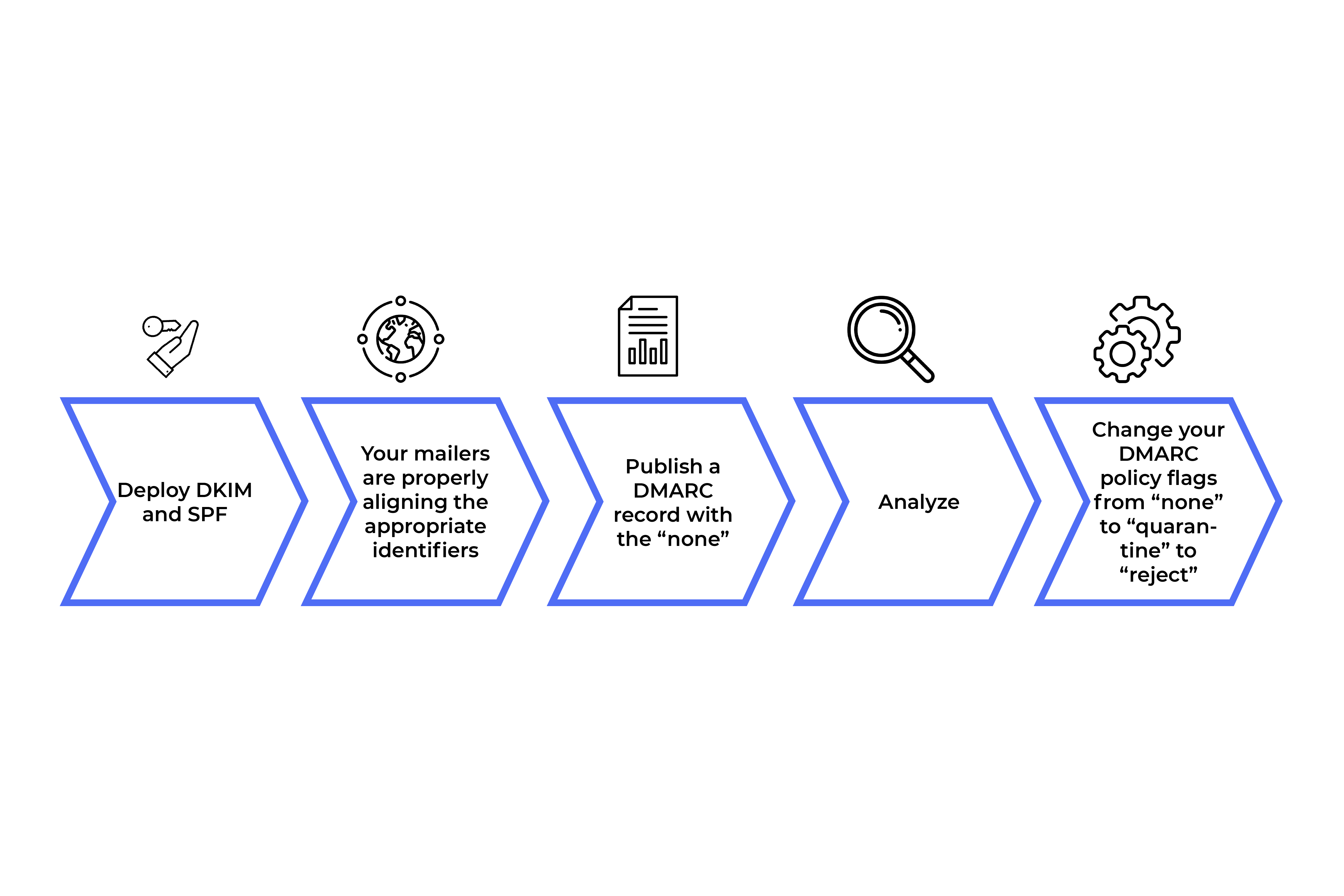
Senders can use the following five easy steps to deploy DMARC in their system:
First things first, deploy DKIM and SPF.
Make sure that your mailers properly align with the appropriate identifiers.
Publish a DMARC record with the ‘none’ policy to request data reports.
Analyze this data and regulate your mail streams.
As you get familiar with DMARC, change your DMARC policy flags from ‘none’ to ‘quarantine’ to ‘reject’.
DMARC Record
DMARC’s usefulness can be characterized by entering a DMARC record in your domain’s DNS settings. Subsequent to setting up the content of your DMARC record, add or update the DNS TXT record with your domain provider. To refresh a DNS TXT record, enter the line of text that characterizes your DMARC strategy record in the management console of your domain provider. Update the DNS TXT record at your space supplier every time you change your DMARC strategy and update your record.
Sample DMARC Record
A DMARC record is typically made up of a specified Host/Name and tag-value pairs. Tag-value pairs consist of a tag and value such as “none” which are paired to tell the receiving mail server what actions are to be taken.
Consider the following example record, which contains three tag-value pairs:
“v=DMARC1;p=reject;rua=mailto:dmarc@domain.com”
The three tags are v, p, and rua while the three values are DMARC1, reject, and mailto:dmarc@yourdomain.com. The “v” tag represents the version of DMARC, the “p” tag represents the policy that determines what action to take if the message fails DMARC authentication, and the “rua” tag represents the email address to send DMARC aggregate reports to. In this scenario, the sender defines the policy as such that the receiver outright rejects all non-aligned messages and sends a report about the rejections to a specific email address. For a more comprehensive study about the DMARC Records, click here.
DMARC Reports
DMARC can be configured to receive regular reports from email servers that receive emails from your domain. It is recommended to regularly monitor the daily DMARC reports that are received. It provides a more comprehensive idea about the messages sent from your domain that pass SPF, DKIM, and DMARC authentication. If your DMARC reports show that a majority of messages pass DMARC, you may want to update your current DMARC policy to a stricter policy. Stricter enforcement provides better domain security against spoofing, phishing and other attacks. In addition, DMARC reports provide answers to the following questions:
- Which servers regularly send emails to your domain?
- What percent of these emails pass DMARC authentication?
- Which servers or domains send messages that fail DMARC authentication?
- What DMARC actions are being taken by the receiving server against unauthenticated messages from your domain?
Conclusion
DMARC works as a strong security control against fraudulent emails. It provides increased reliability, guaranteed security, gained visibility, easier identification, among other benefits.
Top 10 DMARC Myths Busted
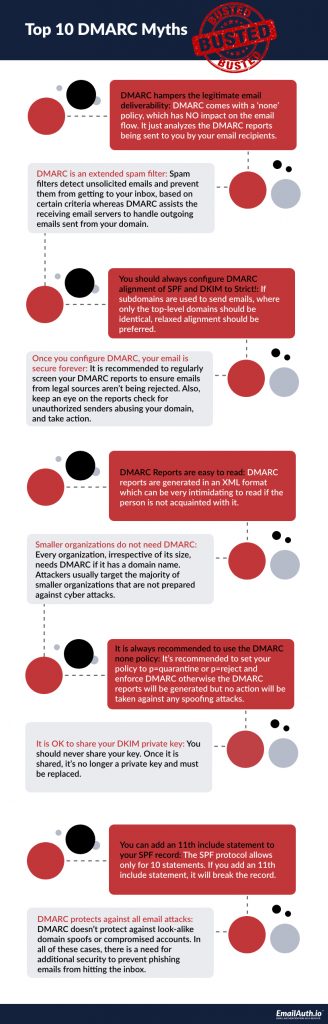
1. DMARC hampers the legitimate email deliverability
DMARC’s ‘none’ policy has NO impact on the email flow. It only analyzes the DMARC reports sent back to the sending server by the email recipients.
2. DMARC is an extended spam filter
Spam filters detect unsolicited emails and prevent them from reaching your inbox based on certain criteria. DMARC, however, assists the receiving email servers in handling outgoing emails sent from your domain.
3. You should always configure DMARC alignment of SPF and DKIM to Strict!
If subdomains are used to send emails where only top-level domains should be identical, relaxed alignment should be preferred.
4. Once you configure DMARC, your email is secure forever
It is recommended to regularly screen your DMARC reports to ensure emails from legal sources are not being rejected. Keep an eye on the reports, check for unauthorized senders abusing your domain, and take action.
5. DMARC Reports are easy to read
DMARC reports are generated in an XML format, which can be very intimidating to read if the person is not acquainted with it.
6. Smaller organizations do not need DMARC
Every organization, irrespective of its size, needs DMARC if it has a domain name. Attackers majorly target smaller organizations as they are usually unprepared to deal with cyber attacks.
7. It is always recommended to use the DMARC 'none' policy
It is recommended to enforce DMARC and set your policy to p=quarantine or p=reject, without which the DMARC reports will be generated but no action will be taken against spoofing attacks.
8. It is OK to share your DKIM private key
You should never share your private key. Once shared, it is no longer private and must be replaced immediately.
9. You can add an 11th include statement to your SPF record
The SPF protocol only allows for 10 statements. If you add an 11th include statement, it will break the record.
10. DMARC protects against all email attacks
DMARC doesn’t protect against look-alike domain spoofs or compromised accounts. In such cases, there is a need for additional security to prevent phishing emails from hitting the inbox.