DMARC Record
What is a DMARC Record?
A DMARC record defines the DMARC record rulesets and can be considered as the essence of a DMARC implementation. DMARC records notify email receivers if a domain is configured for DMARC. If this is the case, the DMARC record consists of the policy configured by the domain owner. Additionally, a DMARC records a DNS (Domain Name Service) entry. You need to implement a DMARC DNS record to be able to use DMARC. This DMARC record will be used by email receivers that have DMARC configured in their emailing system. This will result in the tracking of all emails sent to the organization’s domain, taking into account the DMARC policy of that particular organization. Since the DMARC records are stored in the DNS, it makes them instantly accessible to any mail server on the Internet. As long as it has access to DNS, a system can retrieve the DMARC record for any domain and use it to determine whether an email is authentic or not. This will allow organizations issuing DMARC records to indicate how violations should be handled. These messages can be monitored (and delivered), trashed, or rejected.
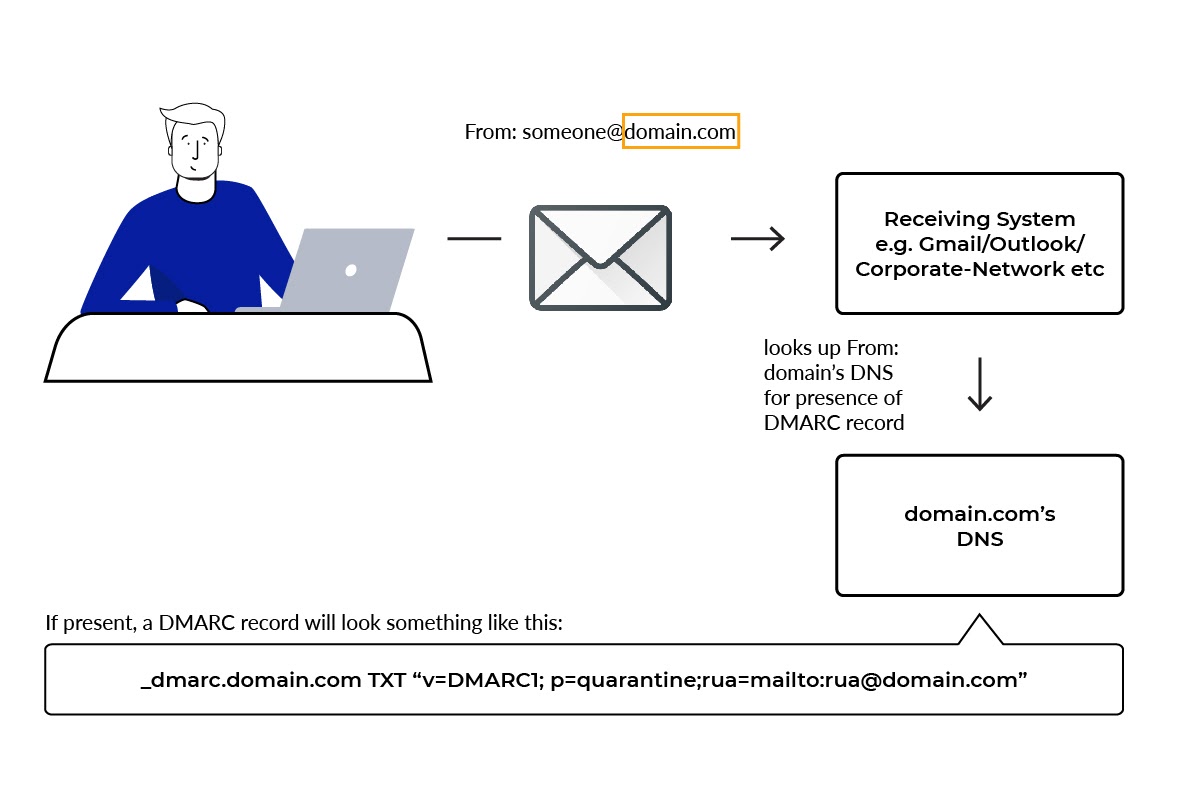
How to create a DMARC record?
The DMARC record should be placed in the DNS of your domain. The TXT record name should be “_dmarc.yourdomain.com” where “yourdomain.com” is replaced with your actual domain name. Using a DMARC Generator, EmailAuth helps to easily generate the DMARC record of any domain. Users are allowed to use the DMARC generator to generate a sample DMARC record.
DKIM and SPF must be configured before deploying DMARC. DKIM and SPF should be validating email messages for at least 48 hours before DMARC is turned on. Once everything is in place, follow these steps to create a DMARC record:
Note: Perform these steps in the management console for your domain host.
Be ready with the text file or line that consists of your DMARC policy record.
Sign in to the management console for your domain host.
Find the page where you updated your DNS records.
Add your DNS TXT record, or update an existing record, by inserting your record in the TXT record for _dmarc.
4.1. In the first field, under the DNS Hostname, enter _dmarc.yourdomain.com. Note that some domain hosts automatically add the domain name after _dmarc. After you add the TXT record, verify the DMARC TXT record name for its correct formatting.
4.2. In the second field, enter the text for your DMARC record. For example:
v=DMARC1;p=none;rua=mailto:dmarc-reports@emailauth.ioSave your changes.
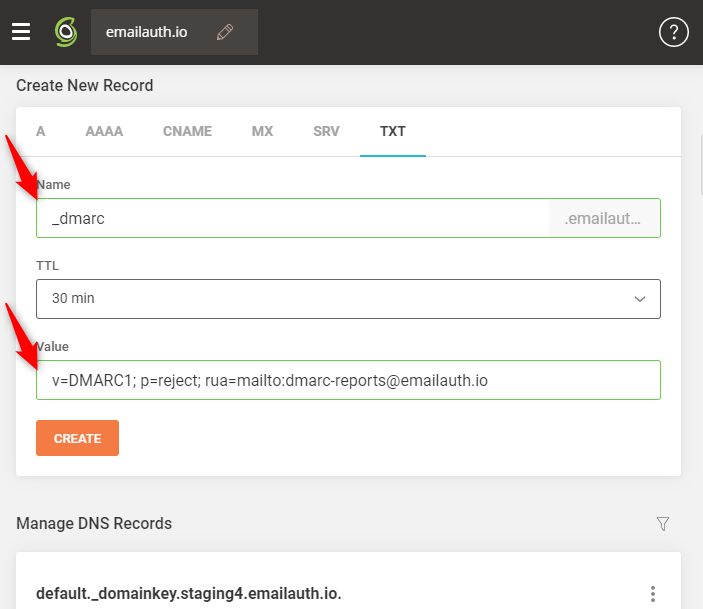
Sample DMARC Record
The DMARC record is in the form of a line of plain text. The text consists of a list of DMARC tags and values separated by semicolons. Some tags are mandatory and some are optional. A DMARC policy instructs the receiving servers on what action to take on messages that fail the authentication. The action to be taken is defined by the policy (p) tag when you define your DMARC record. Refer to the following example of a DMARC policy record. The v and p tags must be listed first, other tags can be placed in any order.
v=DMARC1; p=reject; rua=mailto:dmarc-reports@emailauth.io