RUA and DMARC Aggregate Reports
What is RUA?
RUA (report type—aggregate) is a more generalized report type. It provides a comprehensive overview of a domain’s traffic and usage.
The outcome of authenticated emails as well as the source that sent them are stored in RUA. Domain name, IP address, and the number of emails sent in a certain time frame can all be found in RUA. The data in an aggregate report is limited to message counts and email authentication attributes; it does not contain any sensitive information from the email itself. Unlike RUF reports, RUA reports are sent to nearly every domain owner.
RUA reports may contain the following information:
- Name of the organization
- Organization sending email address
- Contact information
- Report ID number
- Range of data
- Header domain
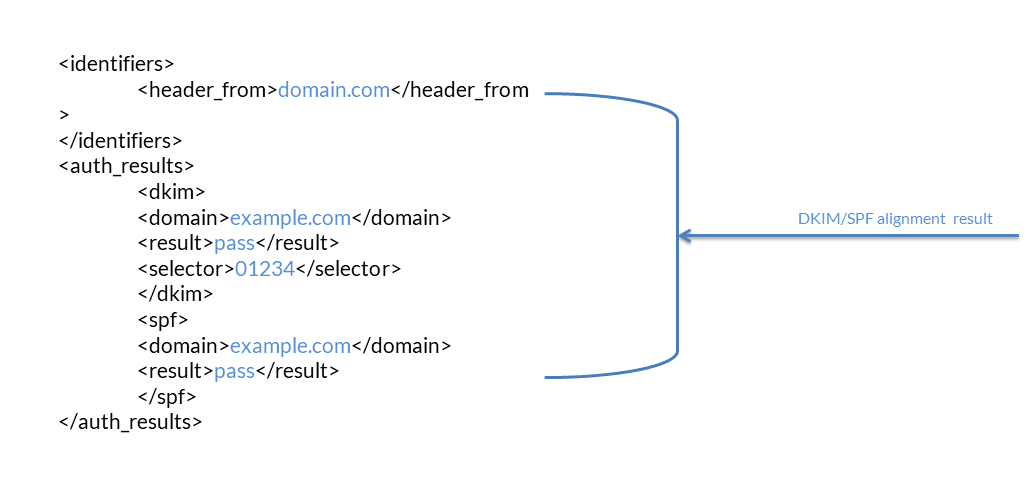
- DKIM and SPF alignment
- Domain and subdomain policies
- Percentage of emails to which the DMARC policy is to be applied
- IP information
- SPF and DKIM authentication result

DMARC Aggregate Reports Overview
In the simplest terms, DMARC aggregate reports are XML files containing aggregate email authentication information regularly sent to recipients selected by domain owners.
The percentage of emails that pass or fail SPF (Sender Policy Framework), DKIM (DomainKeys Identified Mail), and DMARC checks can be found in these DMARC aggregate reports. They provide vital information on the health of your email program and help you discover potential authentication issues and/or malicious behavior, despite the fact that they do not reveal much information about individual email messages.
The authentication status of communications delivered on behalf of a domain is included in the DMARC aggregate reports. This information can help an organization figure out who is sending emails on its behalf, if that sender is authorized to do so, and if the messages are properly authenticated. Furthermore, an organization may already know the identity of the sender misusing their domain for fraudulent activity but might not be equipped to take action. By adopting a DMARC reject policy, the organization will eventually be able to ensure that malicious emails do not reach the inboxes of the recipients. These reports:
- Are sent on a daily basis
- Include all IP addresses that send emails using the organization’s domain
- Include SPF and DKIM status with specific details
- Provide an overview of all email traffic
- Have an XML file format
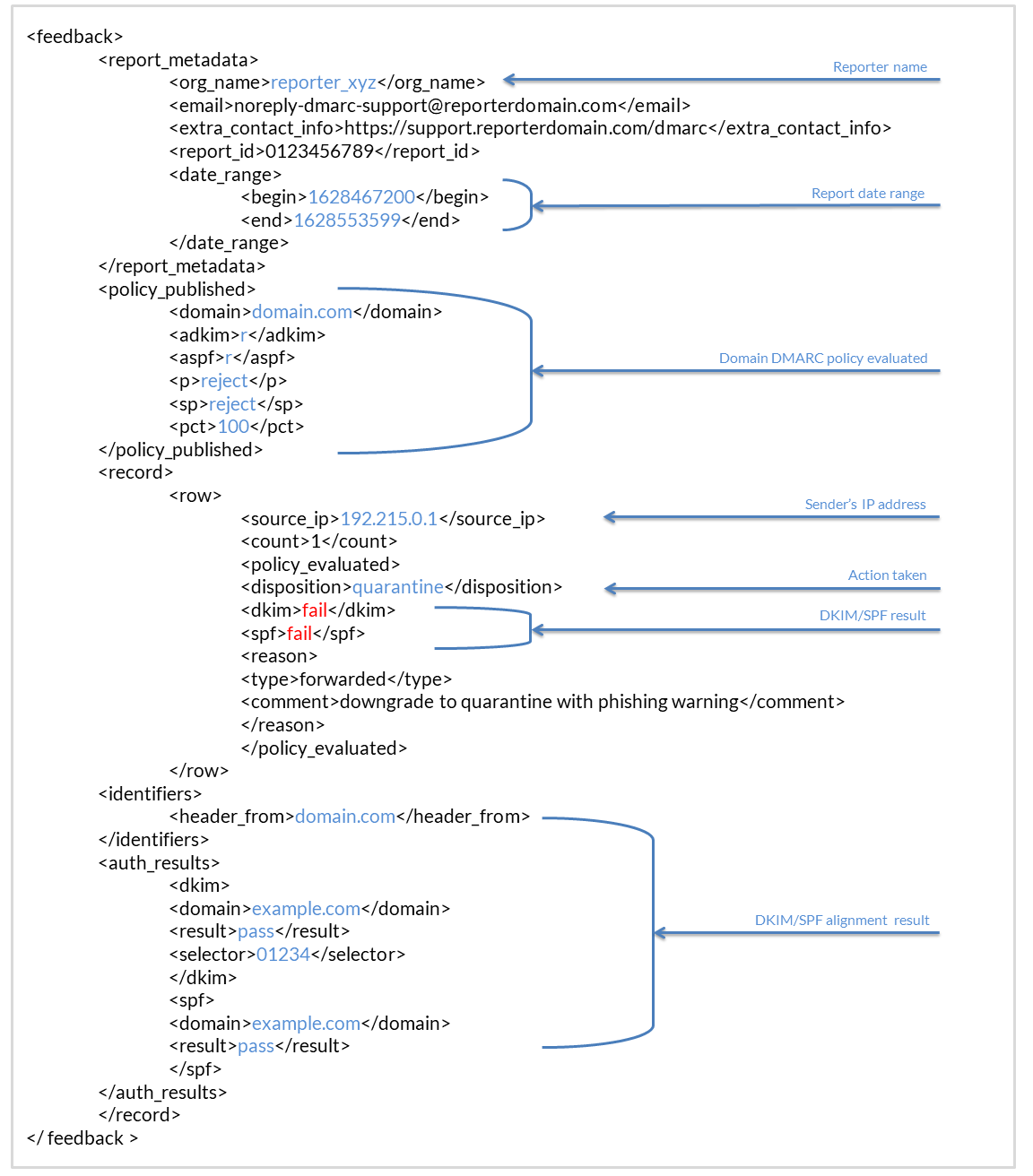
Receiving DMARC Aggregate Reports
To receive an aggregate report, a DMARC record must first be created. A DMARC record invites DMARC reporting organizations to send DMARC aggregate reports back to the sender of an email. The record contains an RUA tag like the one in the following example:
rua=mailto:demo@emailauth.io
This is the email address to which the DMARC reporting organization will send the DMARC aggregate report. A request must be made to the concerned mailbox provider to send DMARC aggregate reports to the designated email addresses. This process is as simple as putting an email address in a DMARC record’s RUA tag. For example, to request for aggregate reports to be sent to aggregate_reports@emailauth.io, you can publish a DMARC record in the following manner:
v=DMARC1; p=none; rua=mailto:aggregate_reports@emailauth.io;
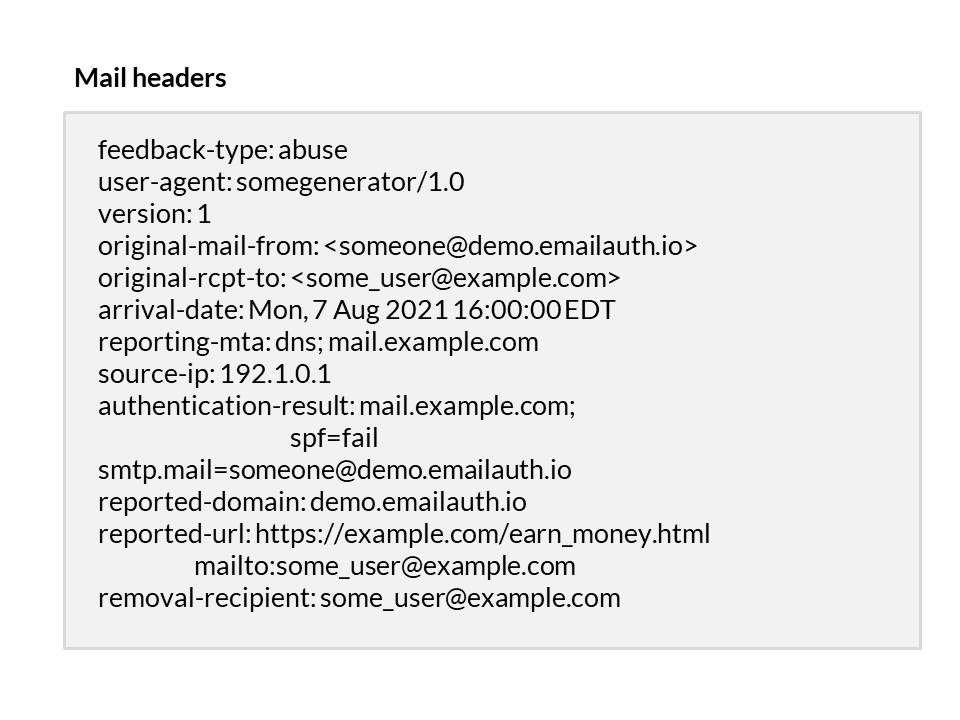
Viewing DMARC Aggregate Charts
Any of the following dimensions can be used to examine DMARC aggregate data:
- Groups: all the subject domains in the group
- Results: DMARC alignment results
- Organization: organizations (ESPs) who sent the reports
- Unaligned Sources: unaligned emails by source
- Unaligned Map: unaligned emails by country

What Does a DMARC AggregateReport Include?
DMARC aggregated reports consist of the following details:
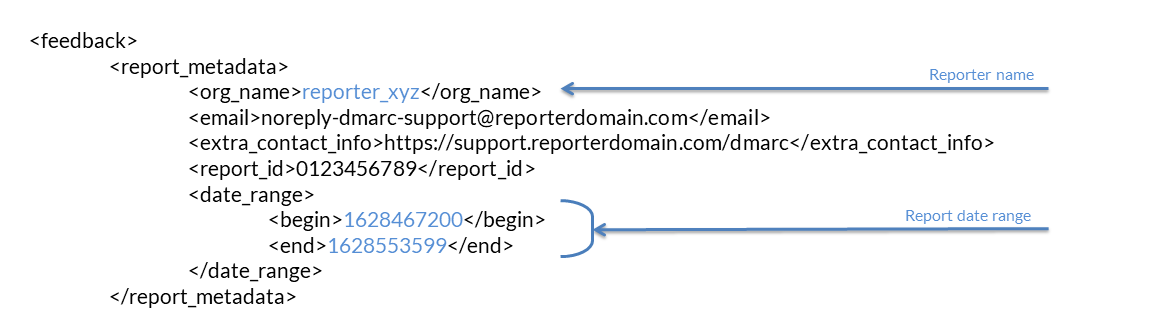
Information about the ISP
- ID number of the report
- Reporting organization name
- Organization sending email address
- Additional contact information
- Initial and final data range
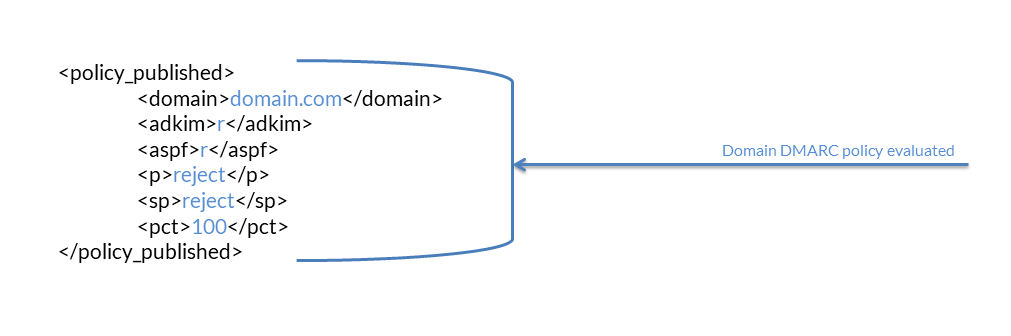
DMARC record description
- Header domain/from domain
- Alignment settings for both DKIM and SPF
- Domain policy (reject)
- Subdomain policy (reject)
- Percentage of messages to which the DMARC policy is to be applied
Summary of authentication results
- IP identified in the email
- Number of IP addresses identified
- Disposition of the message, to show if the policy was applied
- DKIM authentication result
Do Aggregate Reports Contain Personally Identifiable Information (PII)?